LogicWeft Studio
Class Booking, Front Desk & Day Close for WooCommerce
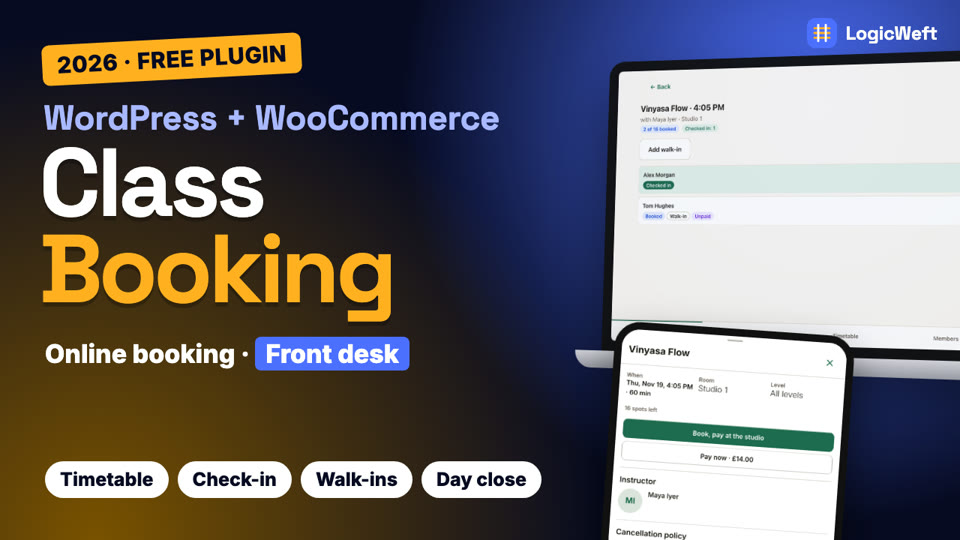
Class booking for yoga, pilates, dance and fitness studios on WooCommerce. Members book from a mobile timetable, the front desk checks them in from a tablet, and the day closes with numbers that match your orders.
About LogicWeft Studio
LogicWeft Studio is a WooCommerce plugin for studios that run classes. You set up recurring classes once, with rooms, instructors and capacity, and members book from a mobile-first timetable as guests or from their account. Paid classes go through WooCommerce checkout with the spot held while they pay; members can also choose to pay at the studio.
Classes are WooCommerce products and bookings are WooCommerce orders, so your payment gateways, taxes, coupons and reports keep working. Every booking path takes a spot the same safe way, so a class never ends up overbooked, and a waitlist offers freed spots to the next member in line.
The front desk runs the day from the Operator App on a tablet: Today's classes, the roster with health-note warnings, walk-ins, check-in by QR code and a self check-in kiosk. Check-ins keep working when the Wi-Fi drops and sync when it is back. At closing, the owner checks attendance and money and closes the day.
The free version is live on the WordPress.org Plugin Directory: install it from your WordPress admin under Plugins → Add New. LogicWeft Studio Pro, sold here on logicweft.com, adds class packs and credits, memberships with renewals, late-cancel and no-show fees, and retention reports.
What it does
Mobile timetable
A week strip with today's classes and spots left, filters by class, instructor and level, and booking in two taps.
Pay online or at the studio
Paid classes go through WooCommerce checkout with the spot held, or members choose to pay at the studio.
Recurring classes
Schedules with rooms, instructors and capacity that generate the timetable in your studio's time zone, plus one-off classes and substitutes.
Waitlist and policies
A waitlist that offers freed spots, booking windows, a free-cancellation window with refunds, and per-member limits.
Front desk on a tablet
Today's classes, rosters with health-note warnings, walk-ins and check-in that keeps working offline.
QR check-in and kiosk
Members show their QR code at the desk or check themselves in at a kiosk by the door.
My classes
Members see upcoming classes, cancel within the policy, add classes to their calendar and show their QR code.
Day close and reports
Close the day with attendance, no-shows and money by payment method, and run attendance reports with CSV export.
 Watch “Class Booking System for WordPress (2026): Free WooCommerce Setup” on YouTube (opens in a new tab)
Video tutorial · 12 minutes
Watch LogicWeft Studio set up, start to finish
Installing LogicWeft Studio, the setup wizard, the timetable, a member's online booking, check-in and a walk-in at the front desk, and day close.
Everything in the video uses the free plugin.
Watch on YouTube ↗ (opens in a new tab)Free and Pro
Free or LogicWeft Studio Pro?
The free plugin works on its own, with no licence key. LogicWeft Studio Pro adds the tools below and a year of updates and support.
LogicWeft Studio
Free plugin
Free
From the WordPress.org Plugin Directory. No account with us and no licence key.
Get it free on WordPress.org ↗ (opens in a new tab)LogicWeft Studio Pro
Yearly licence for 1, 5 or 25 live websites
From $99a year
First year from $59.40 with the Launch offer, until 31 January 2027.
Tax included. Paddle.com handles payment and invoices.
Buy LogicWeft Studio Pro
| Feature | Free | Pro |
|---|---|---|
| Mobile timetableA week strip with today's classes and spots left, filters by class, instructor and level, and booking in two taps. | Included | Included |
| Pay online or at the studioPaid classes go through WooCommerce checkout with the spot held, or members choose to pay at the studio. | Included | Included |
| Recurring classesSchedules with rooms, instructors and capacity that generate the timetable in your studio's time zone, plus one-off classes and substitutes. | Included | Included |
| Waitlist and policiesA waitlist that offers freed spots, booking windows, a free-cancellation window with refunds, and per-member limits. | Included | Included |
| Front desk on a tabletToday's classes, rosters with health-note warnings, walk-ins and check-in that keeps working offline. | Included | Included |
| QR check-in and kioskMembers show their QR code at the desk or check themselves in at a kiosk by the door. | Included | Included |
| My classesMembers see upcoming classes, cancel within the policy, add classes to their calendar and show their QR code. | Included | Included |
| Day close and reportsClose the day with attendance, no-shows and money by payment method, and run attendance reports with CSV export. | Included | Included |
| Added in LogicWeft Studio Pro | ||
| Class packs and creditsSell packs of 5, 10 or 20 classes with an expiry you choose; a member's credit pays for a booking before checkout. | Not included | Included |
| MembershipsUnlimited classes or a number each week, for some or all class types, with freeze and pause. | Not included | Included |
| RenewalsRenews with WooCommerce Subscriptions when you use it, or sends renewal reminders with a payment link. | Not included | Included |
| Late-cancel and no-show feesSpend a class credit or send a fee order when a member cancels late or does not come. | Not included | Included |
| Retention reportsMembers not seen lately, packs and memberships ending soon, and weekly attendance trends, with CSV export. | Not included | Included |
| Packs and memberships at the deskThe Operator App shows a member's credits and membership, books with them and sells packs at the desk. | Not included | Included |
| Updates | From WordPress.org | Yearly licence |
Guides
Get more out of LogicWeft Studio
LogicWeft Studio
How to take class bookings for a yoga or fitness studio with WooCommerce
Put your weekly classes online, let members book and pay, check them in from a tablet at the front desk, and close the day with numbers that match WooCommerce, using the free LogicWeft Studio plugin.
5 min read